
“I have the workflow. I just need a page people can use.”
Build the page with Fugte forms and connect them to your Webhook node. No hosting, no CORS setup, no glue server between the form and your workflow.
Build a public-facing form, payment page, calculator, or product funnel with Fugte forms, then send every submission to your n8n webhook. Your workflow does the work. Fugte gives it a front-end anyone can use.
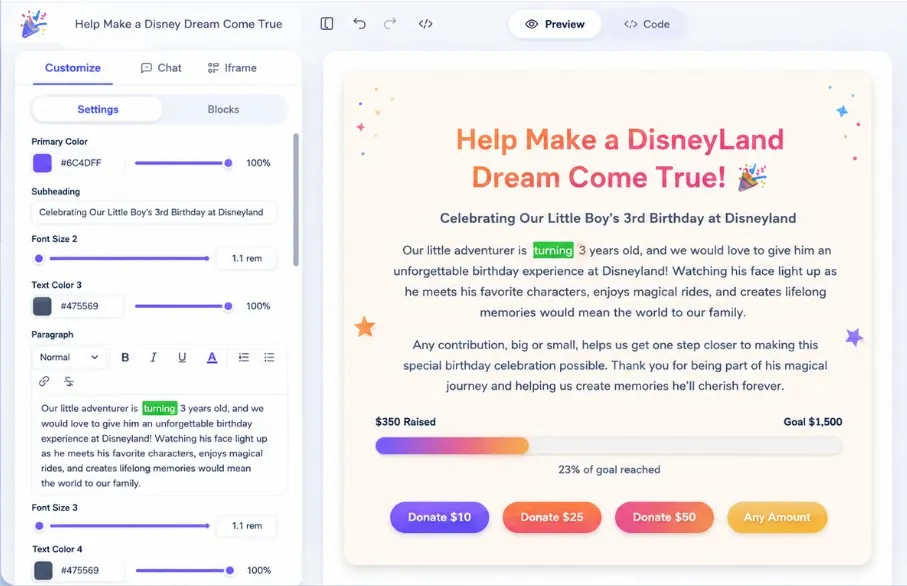
A Webhook node is powerful, but it needs a public-facing page for real people to submit to. Instead of building and hosting a front-end yourself, create one in Fugte and point it at your webhook.
Build the page with Fugte forms and connect them to your Webhook node. No hosting, no CORS setup, no glue server between the form and your workflow.
Fugte hosts the page on a global CDN, captures the form, and delivers each submission to n8n, so the only thing you maintain is the workflow you already built.
Whatever your Webhook node expects, a Fugte form can collect it and deliver it, then your workflow takes over.
Intake forms, lead capture, surveys, and signups built with Fugte forms: every submission is delivered to your n8n workflow.
Take a payment or preorder on a hosted page, then trigger fulfillment, invoicing, or CRM steps in n8n from each submission.
Quote builders, ROI calculators, and interactive tools with a Fugte form that sends the inputs on to your workflow.
Pitch an offer, collect waitlist and preorder interest with Fugte forms, and let each submission kick off your n8n automation.
Build the page, paste your webhook, and let every submission trigger the workflow you already have.
Start from a starter or describe what you need: a form, payment page, calculator, or full product funnel.
Add your n8n Webhook node URL to the Fugte form. No backend to write, host, or maintain.
Each form submission, payment, or calculation is delivered to n8n, so your automation runs the moment someone acts.
Fugte gives you public-facing pages, editable content, hosted delivery, share-ready links, starters, and pricing built for experiments.
Describe the widget you want, start from a starter, or bring your own HTML/CSS/JS when you want full control.
Turn hard-coded text, colors, numbers, images, and toggles into friendly fields you can update later.
Fugte hosts the result for you and serves it through isolated iframe embeds, so you do not need to deploy code yourself.
Remix pricing tables, countdowns, forms, galleries, testimonials, music players, and more when you do not want to start from a blank page.
Every widget gets a clean public URL and iframe snippet for Canva, Shopify, WordPress, Notion, Webflow, or a normal website.
Start free while you test ideas, then upgrade when you want white-label embeds, more storage, or client-ready delivery.
Build a form, payment page, calculator, or funnel in Fugte, point it at your webhook, and let every submission run your automation.